
Investing made effortless with AI
Getting started with fintech has always meant endless forms, confusing steps, and drop-offs. The Bachatt MCP changes that — Claude guides you through the entire onboarding in plain conversation, so you can go from zero to investing in minutes.
Works with Claude Desktop, Claude Code, and claude.ai integrations.
Onboarding used to be hard. Now it's a conversation.
KYC, bank linking, mandate setup, fund selection — each step used to mean navigating a different screen. With Bachatt MCP, Claude handles all of it for you, one message at a time.
Your payments, your phone
Claude never touches your money. It only generates a QR code — every payment is completed by you, on your phone, through your UPI app. Fully secure, fully in your control.
Instant OTP login
Log in with your phone number and OTP — without leaving the chat. No app switching, no browser redirects.
KYC in minutes
Claude walks you through PAN verification, Aadhaar details, and e-sign step by step — no confusing forms.
Bank account linking
Add and verify your bank account through reverse penny drop — Claude handles the prompts and confirmations.
Mandate & SIP setup
Set up your UPI autopay mandate and start your first daily SIP — all in one guided conversation.
See it in action
Investing through conversation
From login to first SIP — Claude walks you through every step. No forms, no tabs, no confusion.
Bachatt MCP running inside Claude — self-playing, not a video, no real user data.
Connect in 3 steps
Connect directly via the claude.ai integrations panel — no local install needed.
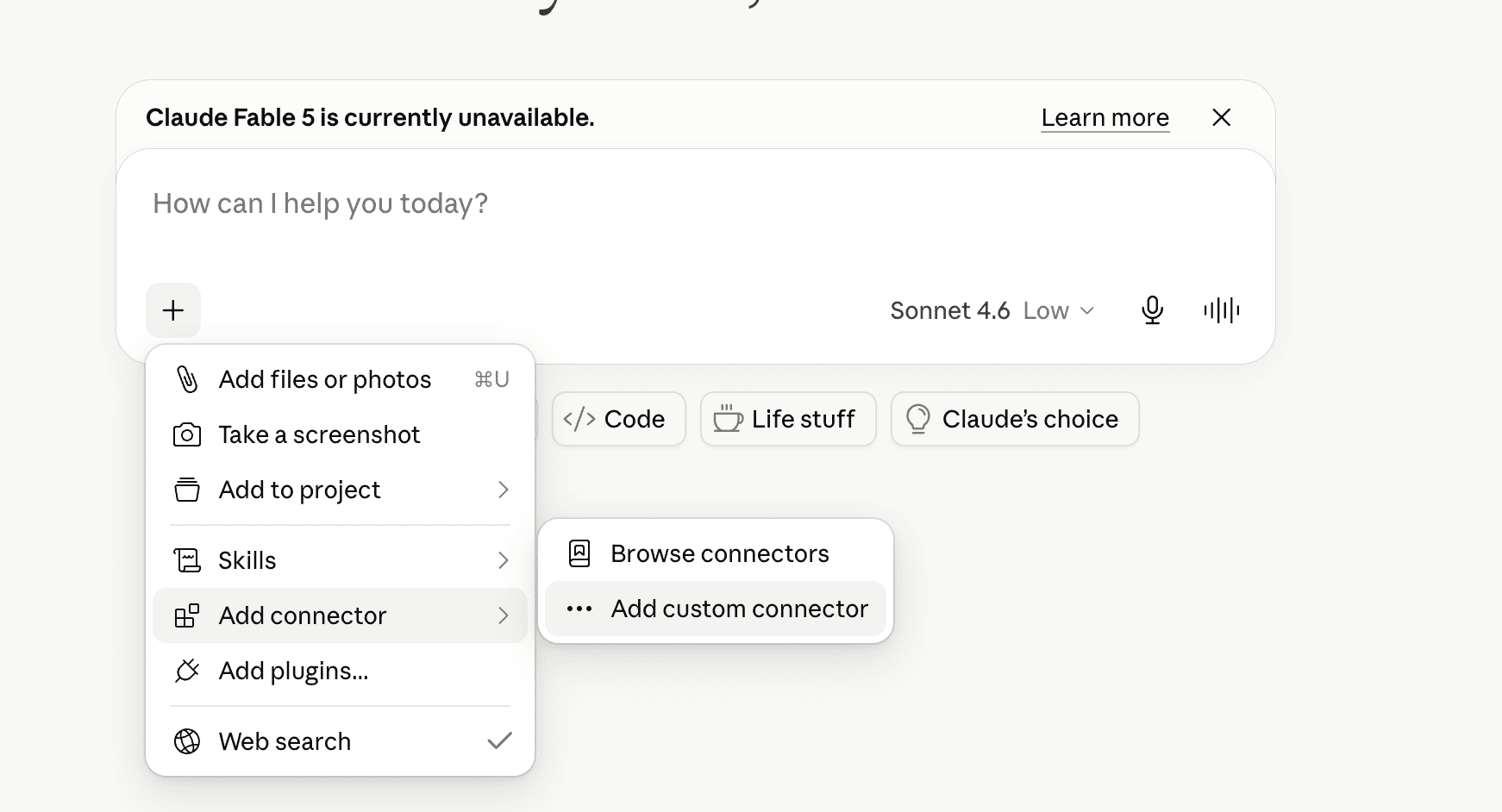
Open Claude and add a custom connector
WebOpen Claude (desktop or web app) and click the "+" icon in the chat composer. From the options that appear, select "Add connectors", then choose "Add custom connector" and click on it.
Enter the Bachatt MCP server details
URLA panel will open. In the Name field type bachatt-mcp (or any name you like). In the Remote MCP Server URL field paste the URL below, then click Add.
https://doorway.bachatt.app/mcp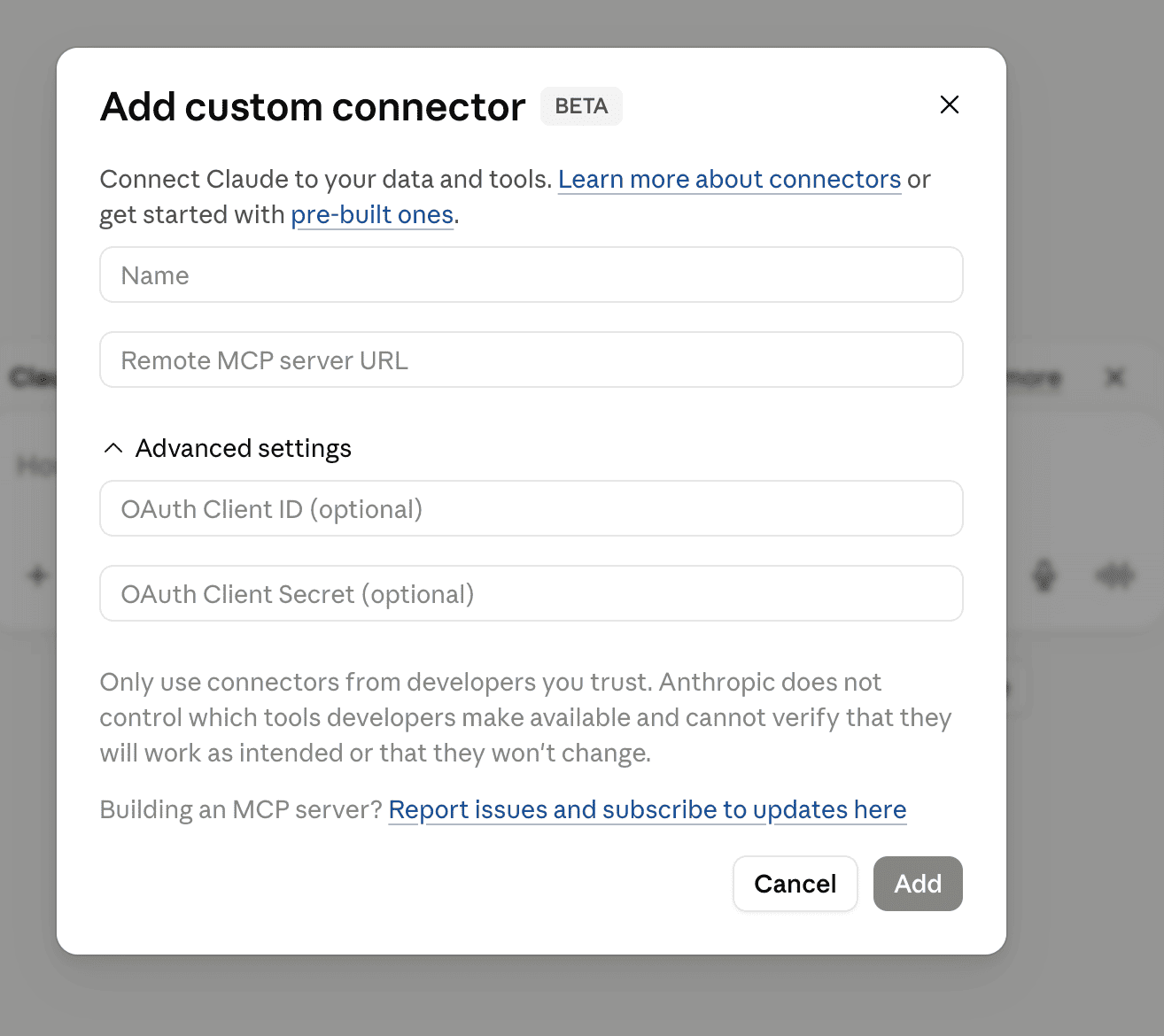
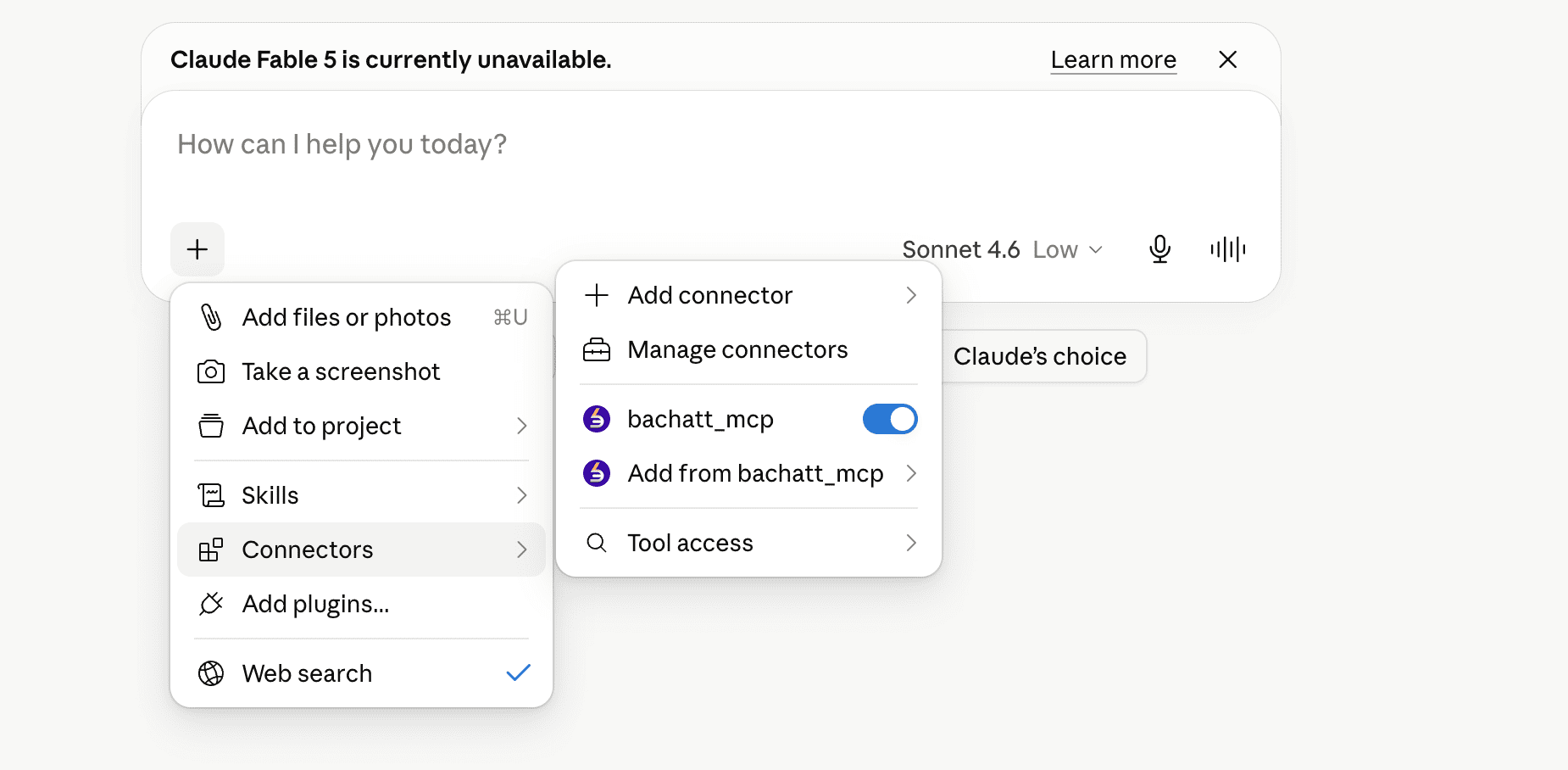
Start investing with AI
DoneClick the "+" button and select Connectors — you'll see bachatt_mcp listed and connected. Now just type "I want to invest in Bachatt" to begin your onboarding.
Start investing in minutes, not hours
Add the Bachatt MCP to Claude and let AI handle the onboarding — KYC, bank linking, mandate, first SIP. All through conversation.
Requires a Bachatt account · AMFI-registered MF Distributor ARN-321640 · Mutual fund investments are subject to market risks